Protect the files without protecting the whole machine
Coming soonNot every workload deserves an image. A file server, a shared drive, a database on a box you would rebuild anyway. Back up what matters, on the agent you already deployed.
Selective backup is where tool sprawl starts
Workloads that do not justify full continuity end up somewhere else: a second vendor, a script, a NAS with an unowned sync job. Two consoles, two invoices, and a restore procedure that lives in one technician's memory. We have inherited those estates.
A second product for small jobs
Another agent, another portal, another renewal, for the workloads the main tool priced out of reach.
Sync mistaken for backup
A mirrored folder copies the ransomware too. Versions and immutability make it recovery.
Database backups nobody validated
An application dump is useful once its consistency contract is stated and the restore is tested.
One agent, one console, the right protection
Recommended sets, discovered for you
Install the connector and accept the sets it finds, or choose your own. Five steps to a verified recovery point. Advanced selection, consistency, and retention controls wait behind progressive disclosure.
Files, shares, and System State
Metadata and versions travel with the files. Every discovered asset is either protected or a counted exclusion you can explain to the client.
Database and application sets
SQL Server, Exchange, and open-source databases through signed adapters, each carrying its own consistency, native-log, and validation contract. Application awareness is stated per set, never implied by the presence of a file.
The same agent as everything else
One signed, headless service: silent RMM deployment, no local interface for a user to disable, no inbound management port to attack. The machine you protect for continuity and the machine you protect for files run the same software.
Appliance or direct to cloud
Back up to the local appliance for fast recovery, or straight to your chosen EnterProtect region for sites that do not run one. Small offices and remote workstations do not need hardware to be protected properly.
Verified, versioned, and searchable
Every set ends in a verified recovery point. Browse versions, restore a file, a folder, or the whole set, and close with the same evidence the rest of the platform produces.
Set types, and what each one promises
| Set type | What it protects | Consistency |
|---|---|---|
| Business files |
| Filesystem-consistent with the platform snapshot method |
| Network dataset |
| Filesystem-consistent, with the access identity recorded |
| Windows System State |
| Consistent through the supported Windows writer |
| Application set |
| The adapter’s stated contract, with native logs where the engine provides them |
The same console as everything else
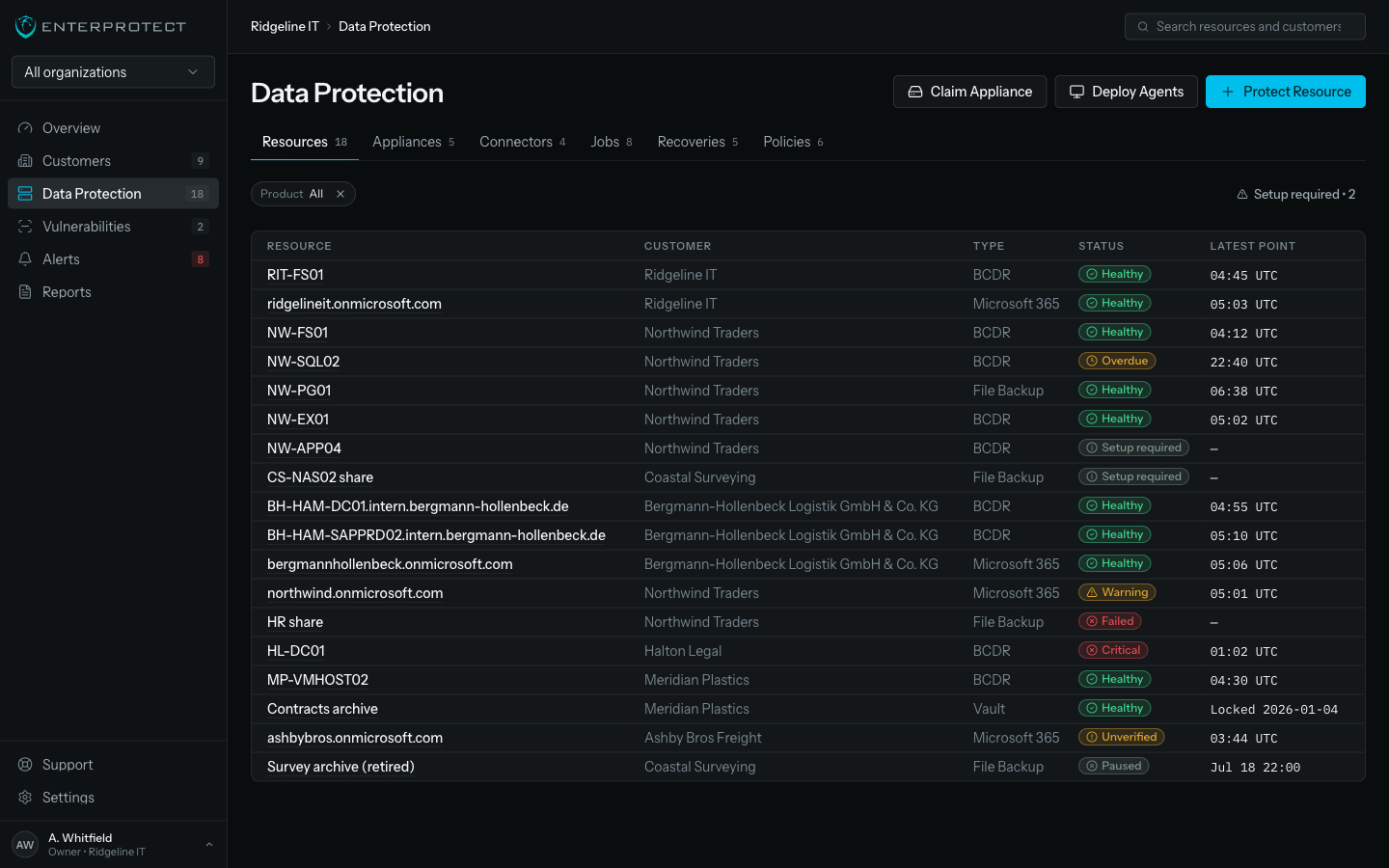
File sets sit beside images and tenants in one list, with one filter row and one restore grammar.
Three steps to coverage with no gaps
Assign
Push the agent through your RMM, or turn on File Backup for a machine the console already protects.
Select
Accept the discovered sets. Point them at the appliance or the cloud region. Confirm schedule and retention.
Verify
Watch the first recovery point verify itself, then restore a test file so the client sees the round trip.
The gap is in the system nobody listed
Data goes missing on the share that moved, the workstation holding the only copy, the database someone stood up on a Tuesday. Close those gaps and the coverage number you give a client is one you would defend in a review.
What we commit to
- Every discovered asset is protected or is a deliberate, counted exclusion. No silent gaps.
- Application consistency is stated per set, never assumed from a file extension.
- One agent and one console for files, systems, and everything that follows.
Questions buyers ask
When should I use File Backup instead of BCDR?
Use File Backup when the data matters but the machine does not: file servers you would rebuild anyway, workstations holding local work, network shares, and databases that need protection without whole-system continuity. Use BCDR when downtime on that machine is the problem you are solving.
Is this the same agent as BCDR?
Yes. One signed, headless service with no tray icon, no local interface, and no inbound port. Deploy it silently through your RMM once and enable whichever protection each machine needs.
Do I need an appliance?
No. Sets can go straight to your chosen EnterProtect cloud region. An appliance buys you fast local recovery, and small sites often do not need one.
What about databases?
Signed adapters cover SQL Server, Exchange, and open-source databases. Each adapter states its consistency method, its native-log handling, and its validation contract before you activate the set. Unsupported versions are shown as unsupported, not silently skipped.
How do I know nothing was missed?
Every discovered asset is either protected or a deliberate, counted exclusion with a reason. Coverage is a number you can show a client, not an assumption.
Is a sync tool not cheaper?
Sync replicates the current state, including the ransomware that just encrypted it. Backup keeps versions you can go back to, with immutability that a compromised endpoint cannot reach.